What's New

Follow new updates and improvements to Punch Builder's Lab.

Measure the move. Annotate the setup. Hide the mess.
We’ve had a busy couple of weeks at Punch. This week I want to share the key feature releases and bug fixes that have gone live in the past couple of weeks.

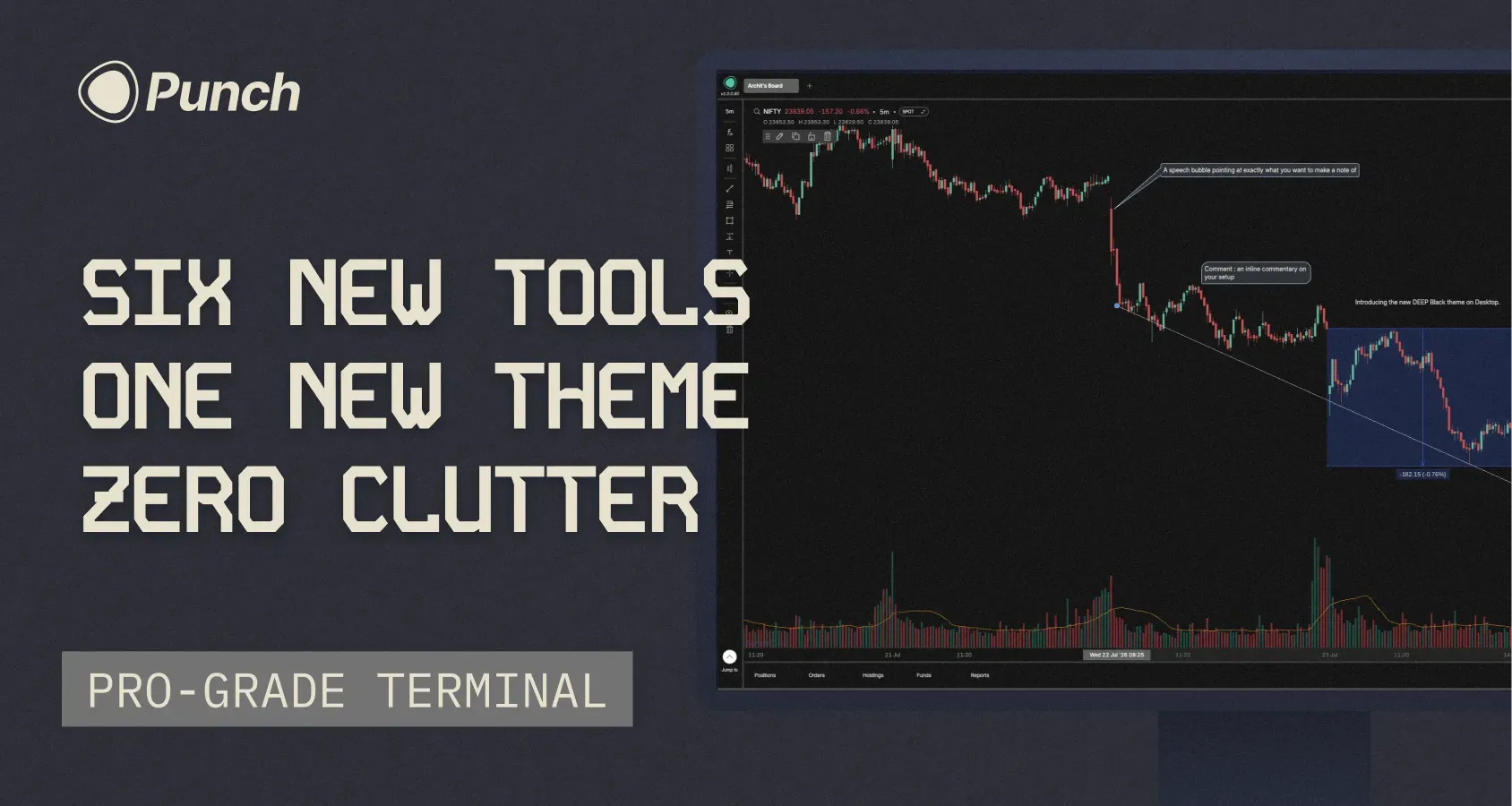
A big drop for chart builders; drawing tools get a serious upgrade on both platforms, mobile catches up to desktop, and there's a new theme for the pure-black background enthusiasts.

Android

Three desktop favorites are now on mobile:

  • Magnet mode — snap your drawings precisely to OHLC points

  • Text on drawings — annotate directly on your tools

  • Delete all — clear every drawing and indicator in one tap

Desktop

New Theme — Deep

You asked, we shipped. Deep joins Light and Dark: a true black background instead of the Punch-branded deep blue. Switch anytime from your theme settings. 

Measure tools

Two new tools under Forecasting in the left panel — Price Range and Date Range. Measure moves and time spans without leaving the chart.

Three new annotation tools

Beyond text on drawings, you now get:

  • Text - drop a note anywhere on the chart

  • Callout - A speech bubble aimed at exactly what you want to call out

  • Comment - inline commentary on your setup

Hide, don't delete

Builders asked for this one loudly. Hide drawings and indicators instead of deleting them — bring them back whenever you need.

Coordinates tab
See the exact price and time for every drawing on your chart.


Fixes

Mobile

  • Fixed crashes when acting before a screen loaded — login/logout, Protect, Indicators/FX menu

  • Fixed a brief freeze while Positions loads your account data

  • Fixed a rare freeze on first launch after install

  • Fixed Stop-loss/Target missing after saving a Scalper preset (+ duplicate-order error on retry)

  • Smoother app — removed hangs from heavy database reads

Desktop

  • Fixed chart zoom

  • Refined the Scalper preset & shortcuts panel

  • Faster custom indicators

  • Fixed Key Levels on the chart

  • Fixed Scalper on/off, with a heads-up toast for unsupported instruments


I am sure you will feel these performance fixes and new features improve your quality of trading on Punch. Do keep posting on Builder’s lab.

See you again next week

- Archit
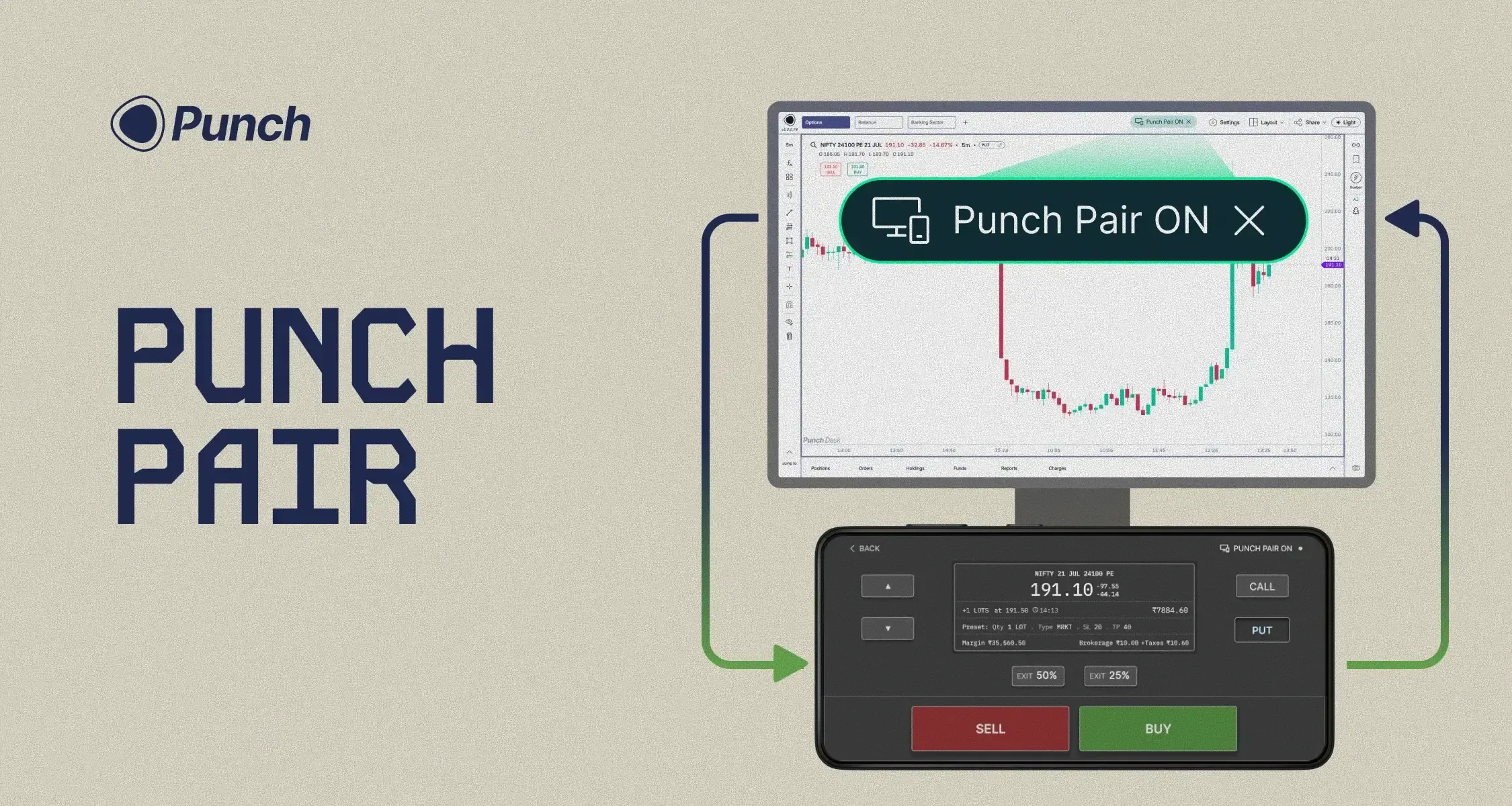
Introducing Punch Pair : An industry first, built for ultra-scalpers

Every scalper lives with the same tradeoff. Your desktop is where the day gets built — multi-chart analysis, drawings, indicators, option chain, option data, OI. But when it's time to punch, nothing matches the single-handed speed of mobile. That's why even on Punch, 90% of scalp trades happen on the phone.

So we stopped making you choose.

Punch Pair brings both worlds together. Pair your desktop to your mobile in seconds. Your desktop stays exactly as it is — every chart, every indicator, every data point right where you set it. Your Punch app transforms into a full-screen order form.

Select your strikes. Adjust lots. Punch to buy. Exit full or partial positions — all from your thumb. Eyes on the big screen, execution in your hand, placing hundreds of orders a day without ever breaking focus.

Want to scalp the first 20 minutes of the session? Pair up, punch away, and once you're done — unpair and step away.

Available on index charts. Since 95%+ of scalping happens on indices, that's where we've focused Punch Pair first.

Keep your eyes on the chart. Control your trading from your phone.

Stop requesting indicators. Start building them with Punch AI

A couple of weeks ago we told you where the ₹10 was going: four AI products, built in the open, shipping over the coming weeks. Today the first one lands.

You invested in it. Here's the first return.

Let's get to it.

Pine Script on Punch

Builder's Lab has always been full of indicator requests. The flow until now was the same every time. You'd post the indicator you wanted, wait for it to be prioritised, built, and shipped. This took weeks or even months.

We've cut that entire process out.

Open the Pine Script Editor from the right menu panel and paste in any script you have. Hit Plot on Chart, and Punch AI turns it into a custom indicator and plots it for you in minutes. If you want an indicator on Punch, you don't request it any more. You make it.

A few things worth knowing:

  • Give it a name and your custom indicator shows up in your Fx → Indicator panel, ready to use like any other indicator.

  • It stays fully editable. Open the script, tweak it, and plot again whenever you like.

  • For now it's on Punch Desk only. Mobile support and alerts on your Pine Script indicators are on the way.

This is the first of the four AI products we promised. Three more are coming over the next few weeks: Punch AI Copilot, the Research Desk, and the Trading Journal.

How to access: Open the Pine Script Editor from the right menu panel.

Shareable dashboards

This is truly one of the most unique and inventive features we have developed. You can now share your chart analysis with your friends.

Hit Share in the top bar and choose Share Layout. You get a link that anyone can open in their browser, it doesn’t matter if they have a Punch account or now, to view your setup and copy it straight into their own dashboards (The copy part needs a Punch account)

Two ways to share:

  • Static Layout shares your setup exactly as it looks right now. Your future changes stay private.

  • Live Layout lets viewers follow along in real time. Everything you change updates for them instantly.

A shared link carries your charts, indicators, and drawings, and nothing else. Your positions and P&L, orders, funds, watchlists, and option chain are never part of it.

This works well for educators and teachers running a class, or for a group of friends who want to break down the same setups together.

When you need to stop your sharing, tap on Share → Manage Shares and switch any share off or delete it entirely.

How to access: Share → Share Layout to create a link. Share → Manage Shares to pause or delete one.

Fixes and polish

In our previous changelog, many of you raised pertinent questions about the reliability and performance issues on Punch. We're systematically clearing these out while we develop the AI products we promised. Here's what's fixed this time:

  • Option Chain no longer shows up blank. It loads reliably now.

  • Fixed crashes on order placement, SL/TP, and Add Funds.

  • Fixed biometric login getting stuck in a loop.

  • The app starts up around 15% faster and runs smoother.

And a few smaller quality-of-life touches:

  • The Scalper preset now shows quantity in both lots and broker qty.

  • Smoother snapping when you're drawing on charts.

  • Press Esc to quickly close any popup.

What's next

Three more AI products are coming over the next few weeks: Next up is the Punch Journal.

Stay tuned.

— Archit

Earlier updates